The Best Ergonomic Mouse for Working From Home (2026)
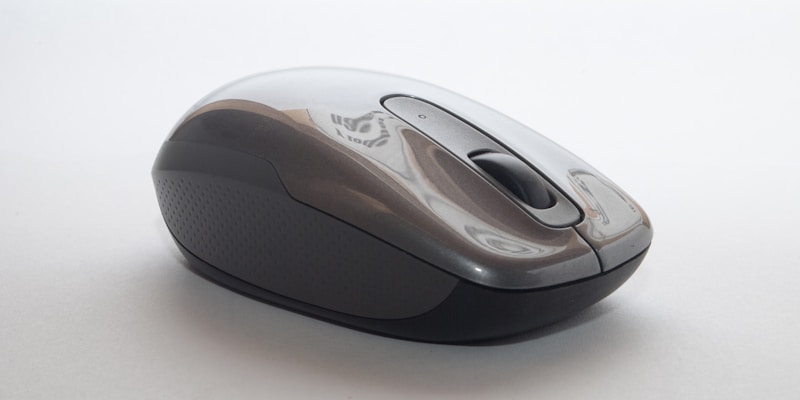
If you work at a computer 8+ hours a day, your mouse matters more than you think. A standard flat mouse forces your wrist into an unnatural position — pronated, twisted inward. Over months and years, this can lead to wrist strain, carpal tunnel symptoms, and general discomfort.
An ergonomic mouse fixes this by tilting your hand into a more natural “handshake” position. After testing 8 popular options over the past 2 months, here are our recommendations.
Quick Answer
- Best overall: Logitech MX Vertical
- Best budget: Anker Vertical Mouse
- Best for small hands: Logitech Lift
- Best trackball: Logitech ERGO M575
Do You Actually Need One?
Ask yourself:
- Do you feel any wrist or forearm discomfort after a full workday?
- Do you use a mouse for more than 4 hours daily?
- Have you been diagnosed with or are worried about RSI/carpal tunnel?
If you answered yes to any of these, an ergonomic mouse is one of the cheapest interventions you can make. It’s not a cure-all, but most people notice a difference within the first week.
1. Logitech MX Vertical — Best Overall
The MX Vertical has a 57-degree vertical angle that puts your forearm in a completely neutral position. It feels weird for the first day, then feels completely natural by day three. After two months, going back to a flat mouse feels wrong.
What we like:
- USB-C rechargeable (lasts about 4 months)
- Connects to 3 devices simultaneously via Bluetooth
- 4000 DPI sensor — precise enough for any work task
- Premium build quality, rubberized grip
What we don’t:
- Too large for small hands
- Pricey at $80-100
- Not great for gaming (fine for work)
2. Anker Vertical Mouse — Best Budget
At $20-25, this is the cheapest way to try a vertical mouse. The ergonomic angle is comparable to the MX Vertical, and it gets the job done. It’s wired (USB), which means no battery hassle but less desk flexibility.
What we like:
- Incredible value — 1/4 the price of the MX Vertical
- Genuinely comfortable vertical design
- Adjustable DPI (800/1200/1600)
What we don’t:
- Wired only
- Plastic build feels cheap
- No side scroll or advanced buttons
Our take: Buy this first. If the vertical position helps your wrist, then decide if you want to upgrade to the MX Vertical later. At $25, there’s zero risk.
3. Logitech Lift — Best for Small to Medium Hands
The Lift is essentially a smaller MX Vertical at a lower price point. If the MX Vertical felt too big in store, this is your answer. The 57-degree tilt is the same, but the body is compact enough for hands under 7.5 inches.
Also comes in a left-handed version — one of the very few ergonomic mice that does.
What we like:
- Right size for smaller hands
- Left-handed version available
- Quiet clicks (great for shared spaces)
- $70 — more affordable than MX Vertical
What we don’t:
- Uses AA battery (not rechargeable USB-C)
- Lower DPI than MX Vertical
4. Logitech ERGO M575 — Best Trackball
A trackball is a completely different approach: instead of moving the mouse, you roll a ball with your thumb. Your arm doesn’t move at all, which eliminates wrist strain from mouse movement entirely.
The learning curve is real — expect 3-5 days of feeling clumsy. But once you adjust, many people swear they’ll never go back. The M575 is the best entry point into trackballs.
What we like:
- Zero wrist movement once adjusted
- Small desk footprint — works anywhere
- 24-month battery life on a single AA
- Affordable at $50
What we don’t:
- Steep learning curve
- Not ideal for design/precision work
- The ball collects dust and needs occasional cleaning
Comparison Table
| Mouse | Type | Best For | Rechargeable | Price |
|---|---|---|---|---|
| MX Vertical | Vertical | Overall best | Yes (USB-C) | $$$ |
| Anker Vertical | Vertical | Budget pick | No (wired) | $ |
| Logitech Lift | Vertical | Small hands | No (AA) | $$ |
| ERGO M575 | Trackball | Zero wrist movement | No (AA) | $$ |
Other Things That Help
An ergonomic mouse alone won’t fix everything. Combine it with:
- Desk at proper height — elbows at 90 degrees
- Wrist rest — keeps your wrist neutral when not actively mousing
- Regular breaks — 5 minutes every hour makes a measurable difference
- Stretches — wrist circles and finger extensions between tasks
The Bottom Line
Start with the Anker Vertical Mouse at $25. Use it for a week. If the vertical position helps (it probably will), decide whether to upgrade to the MX Vertical for the premium experience or the Lift if you have smaller hands.
Your wrists will thank you.
Prices and availability are accurate as of the date of publication. As an Amazon Associate, Daily Deal Scout earns from qualifying purchases.